
AI video makers are changing how businesses create digital content by helping teams turn ideas, product images, and creative concepts into engaging videos faster. These tools reduce the need for traditional production processes such as studio shoots, complex editing workflows, and large production teams.
By combining automated generation, visual editing, and customizable templates, AI video makers allow marketers, e-commerce businesses, and content creators to produce and test more video variations efficiently. This review explores five leading AI video makers and their practical applications for modern content production.
1. Pollo AI
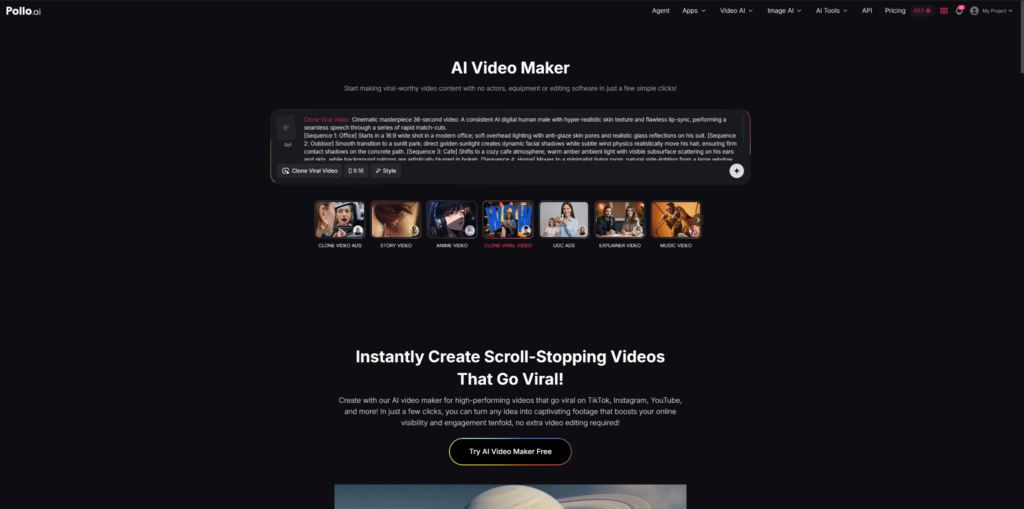
Pollo AI is a multi-model AI video maker that combines different generation tools within one workflow. Instead of relying on a single video model, it provides access to multiple AI systems, including Pollo 2.5, Veo 3, Seedance 2.0, Sora 2, Kling AI, Runway, and Luma AI.
The platform supports various video creation methods, including text-to-video, image-to-video, reference-based generation, and AI avatar videos. Users can create different types of marketing content, such as product videos, UGC-style ads, social media clips, explainer videos, and promotional campaigns.
Pollo AI also supports different visual styles, including cinematic, anime, 2D animation, and 3D formats. This makes it suitable for teams that need to test different creative directions without using multiple separate tools.
Why It Is Highly Desirable for Professional Workflows
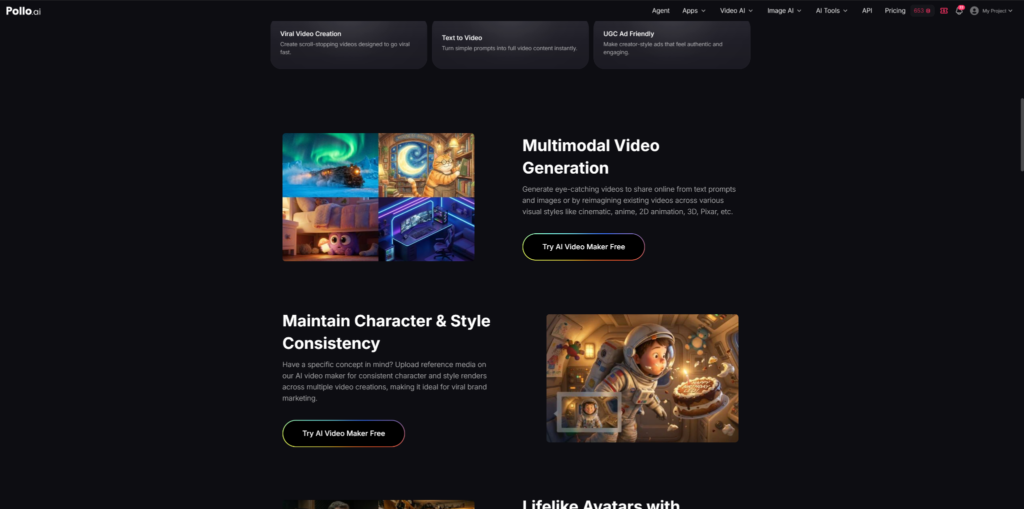
One of Pollo AI’s main advantages is its flexible workflow. By combining multiple AI models and creation tools in one platform, users can experiment with different video styles and formats more efficiently.
The platform’s Reference to Video feature helps maintain character and visual consistency when creating multiple clips from the same concept. This can be useful for brands producing recurring campaigns, product advertisements, or social media series.
For marketing teams, Pollo AI can also support UGC ads, avatar-based videos, Facebook ad creatives, and short-form content production. It can also work as a boomerang video maker for creating engaging looping clips that are suitable for social media posts, product highlights, and campaign variations. These workflows are especially useful for businesses that need to create and test multiple advertising variations quickly.
My tips: For better results, provide clear prompts and high-quality reference images. Detailed descriptions of camera movement, style, and product details usually lead to more consistent outputs.
2. Pika
Pika is an AI video maker focused on fast and creative video generation. It is commonly used by social media creators, marketers, and content teams that want to transform ideas or existing images into short animated videos.
The platform is designed for quick experimentation, allowing users to create stylized clips, motion effects, and visual variations without complex editing workflows. It is particularly suitable for short-form content where creative ideas need to be tested quickly.
Pika supports image-to-video generation and creative transformations, making it useful for promotional clips, social media posts, and concept previews. Its simple interface also lowers the learning curve for users without professional video editing experience.
Why It Is Useful for Professional Workflows
Pika’s strength is speed and accessibility. Instead of spending significant time on manual animation or editing, creators can quickly explore different visual directions and generate early concepts.
The platform is especially useful for social media campaigns, where brands often need frequent creative updates. Marketers can use it to test different visual hooks, product presentations, or promotional ideas before investing in larger productions.
However, Pika is generally better suited for creative exploration and short-form content rather than highly controlled commercial video production that requires precise consistency.
My tips: Use Pika for brainstorming and concept testing. For brand campaigns that require consistent characters or detailed product accuracy, combine it with other production tools.
3. Runway Gen-3 Alpha
Runway Gen-3 Alpha is an AI video maker designed for creators who need more control over cinematic visuals. It is widely used in areas such as advertising, filmmaking, visual effects, and creative development.
The platform focuses on generating realistic scenes with improved motion quality and visual consistency. Users can create videos from text prompts or image references while controlling elements such as camera movement, lighting style, and overall atmosphere.
Runway is often used during early production stages, allowing creative teams to explore visual concepts before moving into full-scale production. It can help develop campaign ideas, cinematic previews, and branded content concepts.
Why It Is Useful for Professional Workflows
Runway is valuable for projects where visual style and storytelling are important. Its ability to interpret cinematic prompts makes it suitable for concept videos, advertising ideas, and creative prototypes.
The platform works well for creators who understand visual language and want more control over elements such as composition, camera angles, and lighting effects.
Compared with simpler AI video tools, Runway provides more creative control, but achieving consistent results often requires more detailed prompting and experimentation.
My tips: Use specific filmmaking terms when writing prompts. Describing camera movement, lighting conditions, and visual style usually produces better results than using only general creative descriptions.
4. CapCut
CapCut is an AI-assisted video editing platform widely used for short-form content creation. Unlike fully generative AI video platforms, CapCut focuses more on combining automated editing features with traditional video production tools.
The platform provides features such as auto captions, templates, background removal, effects, transitions, and AI-powered editing assistance. These functions make it suitable for creators, small businesses, and social media teams that need to produce content quickly.
CapCut is particularly effective for platforms such as TikTok, Instagram Reels, and YouTube Shorts, where brands often need frequent video updates and fast creative testing.
Why It Is Useful for Professional Workflows
CapCut’s main advantage is efficiency. Its templates and automated editing features allow users to turn raw footage into polished social media videos without advanced editing skills.
For marketing teams, CapCut can be useful for creating product highlights, influencer-style videos, promotional clips, and daily social media content. Features such as automatic subtitles and smart editing tools can reduce the time required for routine post-production tasks.
However, CapCut works mainly as an editing and optimization tool rather than a complete AI video generation platform. Businesses that need fully generated scenes or advanced visual creation may need to combine it with dedicated AI video makers.
My tips: Always review auto-generated captions before publishing, especially when videos contain product names, technical terms, or brand-specific language.
5. Canva
Canva is a design-focused platform that combines graphic design tools with AI-assisted content creation features. It is widely used by marketing teams, businesses, and educators that need consistent visual materials across multiple channels.
The platform supports AI-powered design assistance, templates, image editing, background removal, and basic video creation features. Users can create promotional videos, social media content, presentations, and branded marketing assets within the same workspace.
Canva is particularly useful for teams that prioritize brand consistency and need to produce different types of marketing materials efficiently.
Why It Is Useful for Professional Workflows
Canva’s biggest advantage is its simple design workflow. Users can quickly adapt existing templates, apply brand elements, and resize content for different platforms without advanced design skills.
For businesses, this makes Canva practical for creating supporting marketing assets such as product announcements, social media graphics, presentation videos, and campaign visuals.
Compared with dedicated AI video generation platforms, Canva provides less control over complex motion generation. Its strength lies in combining design, branding, and lightweight video creation in one accessible environment.
My tips: Use Canva when brand consistency and fast content adaptation are priorities. For advanced AI-generated video scenes, consider combining it with specialized AI video tools.
Conclusion
AI video makers are becoming useful solutions for businesses that need to create more content while reducing production time. Each platform in this list serves a different purpose.
Pollo AI focuses on multi-model video generation and flexible commercial workflows, making it suitable for businesses producing different types of marketing videos. Pika is better for fast creative experiments, while Runway provides more cinematic control for advanced visual projects. CapCut helps optimize short-form social content through automated editing, and Canva supports branded visual production across marketing channels.
In practice, businesses often combine multiple tools rather than relying on a single platform. The best choice depends on factors such as content goals, production requirements, creative control, and publishing channels. As AI video technology continues to improve, these tools will likely become a regular part of modern marketing workflows.